
A smart water monitor’s true value isn’t just detecting leaks; it’s providing the granular data to predict and prevent them entirely.
- By learning the unique “water signature” of each fixture, you can identify anomalies that default settings would miss.
- Calibrating specific alert thresholds for flow rate and duration is the key to catching slow leaks, like a running toilet, before they cause damage.
Recommendation: Treat your plumbing system like a managed asset. Use your monitor’s data logs not just for leak detection, but for predictive maintenance and to secure significant home insurance discounts available to Montreal homeowners.
For a data-driven Montreal homeowner, an unexplained spike in a water bill from the city is more than an expense—it’s a data anomaly that demands investigation. The immediate fear is a catastrophic leak, especially the dreaded frozen pipe burst during a harsh Quebec winter. The common advice is to install a smart water monitor, a device that promises peace of mind through phone alerts. While this is a crucial first step, it barely scratches the surface of the technology’s potential.
Most users treat these devices as simple alarms, relying on default settings that often miss the most common and costly issues, like slow, insidious leaks. They see a notification and react. This is a reactive, not a proactive, approach. The real power lies not in the alarm itself, but in the continuous stream of high-fidelity data it produces. But what if the key to true water management wasn’t just reacting to alerts, but mastering the data to prevent them from ever triggering?
This guide reframes the smart water monitor from a simple security gadget to a sophisticated diagnostic tool. We will explore how to analyze your home’s unique water signatures, calibrate precise alert thresholds, and integrate your device into a smart home ecosystem. By moving beyond the generic and embracing a data-first mindset, you can transform your monitor into a predictive asset management system for your entire plumbing infrastructure, unlocking not only savings but also a new level of control and security for your home.
This article provides a detailed roadmap for mastering your smart water monitoring system. We will delve into the nuances of device calibration, alert configuration, smart home integration, and leveraging your data for tangible financial benefits like insurance premium reductions.
Summary: A Data-Driven Guide to Mastering Water Monitoring
- Why Does Your Smart Monitor Think the Toilet Is a Shower?
- How to Configure Alerts to Catch Running Toilets Immediately?
- Apple HomeKit vs. Google Home: Which Water Monitor Integrates Best?
- The Error of Installing Monitors inside Metal Cabinets That Block Wi-Fi
- When to Submit Monitoring Logs to Lower Your Premium?
- Why Wi-Fi Shut-Off Valves Are Safer Than Simple Alarms?
- How to Track Plumbing Assets Digitally to Predict System Failures?
- How Can Smart Leak Detectors Lower Your Home Insurance Premium?
Why Does Your Smart Monitor Think the Toilet Is a Shower?
A brand new smart water monitor often makes frustrating classification errors. It might label a 3-minute toilet flush as a quick shower or a dishwasher cycle as an unknown leak. This isn’t a device flaw; it’s a data gap. Every home’s plumbing system has a unique “water signature”—a distinct pattern of flow rate and duration for each fixture. The monitor’s AI needs to be trained to recognize the difference between the sharp, brief spike of an old high-volume toilet in a Montreal plex and the sustained, lower flow of a modern rainfall showerhead. Without this localized training, its algorithms rely on generic profiles that don’t match your specific reality.
This issue is compounded by municipal infrastructure. To reduce waste and pipe stress, Montreal often reduces water pressure during low-demand periods, typically between 10 PM and 5 AM. This pressure variance can alter the signature of an overnight appliance run, further confusing an untrained AI. The goal is to move from default assumptions to a precisely calibrated model of your home’s unique water ecosystem. The key is providing the system with clean, labeled data points so it can build an accurate baseline.

As the illustration suggests, every water event creates a unique pattern. Your job is to teach the monitor to read these patterns correctly. By actively labeling events—especially those with similar flow rates—you refine the algorithm, drastically improving its accuracy and ensuring a minor anomaly doesn’t get miscategorized and ignored. A trained system is the difference between a noisy gadget and a precision instrument.
Your Action Plan: Training Your Water Monitor’s AI for Montreal Homes
- Install your monitor and let it run for 24-48 hours without labeling to establish baseline patterns.
- Create a water usage log, noting exact times when specific fixtures are used (e.g., dishwasher at 7 PM, laundry at 8 PM).
- Use the app’s training mode to label each water event as it occurs in real-time.
- For older Montreal plexes with high-volume toilets, manually trigger a flush and immediately label it in the app to create a distinct signature.
- Run each appliance separately during the first week to help the AI distinguish between similar flow patterns.
- Review and correct any mislabeled events in the app’s history section for continuous improvement.
Ultimately, this initial time investment in training pays dividends by creating a system you can trust. It ensures that when a real alert comes through, it’s for a genuine issue, not a false positive caused by ambiguous data.
How to Configure Alerts to Catch Running Toilets Immediately?
The most common and costly leaks are not catastrophic pipe bursts, but slow, silent issues like a running toilet. A faulty flapper can waste hundreds of litres a day, going unnoticed until the next water bill arrives. Standard smart monitor alerts, often set to detect high flow rates, will completely miss this. The solution lies in alert threshold calibration, setting custom rules based on both flow rate and duration. A running toilet typically has a low flow rate, but its defining characteristic is its persistence.
This level of vigilance is critical in Canada, where water damage is a primary driver of insurance costs. With recent events contributing to a landscape where flooding alone contributed to more than $1 billion in damages, proactive detection is paramount. One Montreal plex owner, for instance, successfully prevented major damage by configuring a custom alert. They set their monitor to flag any flow between 0.1-0.3 gallons per minute (GPM) that lasted for more than 20 minutes. This precise rule caught a faulty toilet flapper that standard alerts missed, saving their multi-story building from progressive water damage.
To implement this, you must analyze the specific leak types you want to catch. A dripping faucet has a different signature than a leaking sprinkler line. By creating a hierarchy of alerts, you can assign priorities and ensure the most critical notifications are never missed. The table below provides a data-driven starting point for configuring these thresholds.
| Leak Type | Flow Rate | Duration Threshold | Alert Priority |
|---|---|---|---|
| Running Toilet | 0.1-0.3 GPM | 20+ minutes | High |
| Dripping Faucet | 0.01-0.05 GPM | 60+ minutes | Medium |
| Pipe Burst | 5+ GPM | Immediate | Critical |
| Sprinkler Leak | 0.5-2 GPM | 30+ minutes | High |
By moving beyond default notifications and implementing a custom alert strategy, you transform your monitor from a passive observer into an active sentinel specifically guarding against the most common threats to your property.
Apple HomeKit vs. Google Home: Which Water Monitor Integrates Best?
For the data-driven homeowner, a smart device is only as powerful as its ability to integrate into a larger ecosystem. When choosing a water monitor, its compatibility with your existing smart home platform—Apple HomeKit or Google Home—is a critical decision factor. The choice impacts automation capabilities, voice control, and remote management, particularly for scenarios common to Montrealers, such as managing a primary residence and a cottage in the Laurentians or Eastern Townships. The integration goes beyond simple notifications; it’s about creating an automated safety network.
For instance, a key differentiator is “Winter Vacation Mode.” With Apple HomeKit, some monitors can integrate with an Ecobee thermostat. If the thermostat detects a dangerous temperature drop near the pipes (e.g., below 5°C), it can automatically trigger the water monitor to shut off the main valve, preventing a pipe burst while you’re away. Achieving this with Google Home often requires more manual setup of routines. Both platforms offer voice alerts, with HomeKit using HomePod announcements and Google Home broadcasting on all Nest speakers.
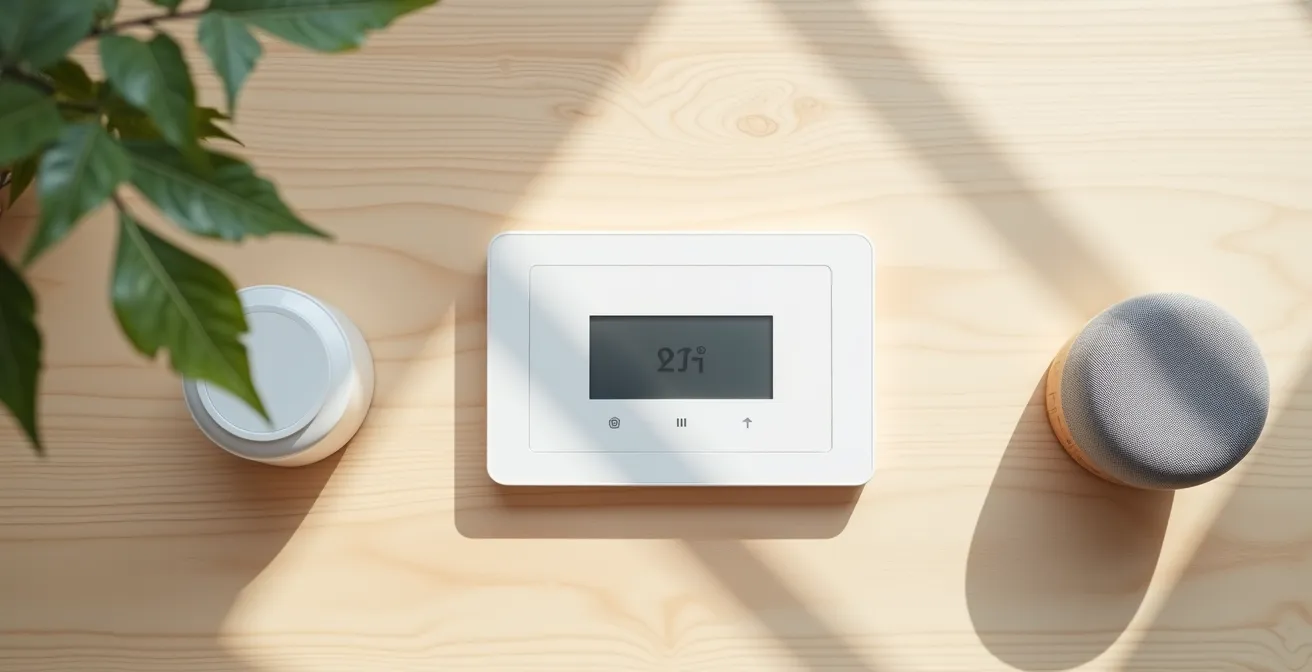
However, the most important factor for Canadian users is feature availability. Some smart device features are launched in the US market first, with delayed rollouts in Canada. It’s crucial to verify that the specific automation features you need, like advanced temperature triggers or presence detection for a weekend property, are fully supported in Canada on your chosen platform.
| Feature | Apple HomeKit | Google Home |
|---|---|---|
| Winter Vacation Mode | Automatic shutoff with Ecobee temperature triggers | Manual routine setup required |
| Voice Alerts | HomePod announcements | Broadcasts on all Nest speakers |
| Canadian Availability | Full feature set available | Some features delayed in Canada |
| Cottage Integration | Presence detection for weekend properties | Location-based automation |
The ideal integration creates a system where devices work in concert, turning your smart home into a truly responsive and protective environment, whether you’re at home in the city or away at the cottage.
The Error of Installing Monitors inside Metal Cabinets That Block Wi-Fi
A smart monitor is useless if it’s offline. The most common point of failure for these devices is not the hardware itself, but poor Wi-Fi connectivity. Homeowners often install their water monitor right next to the main shut-off valve and meter, which in many Montreal basements are located near a metal electrical panel or inside a utility cabinet. This creates a Faraday cage effect, where the metal enclosure blocks or severely degrades the Wi-Fi signal, causing the monitor to frequently disconnect. Maintaining signal integrity is as crucial as the monitor’s own calibration.
The challenge is particularly acute in older Montreal homes and plexes with thick concrete foundations. Concrete is notoriously difficult for Wi-Fi signals to penetrate. If your router is on the main floor, the signal reaching the basement meter may already be weak. Placing the monitor’s bridge or the monitor itself in a “dead zone” guarantees unreliable performance and missed alerts. Before drilling any holes or finalizing the installation, performing a DIY signal test is a non-negotiable step.
A strong, stable connection is required for the device to upload its constant stream of water usage data for analysis. Intermittent connectivity leads to gaps in your data logs, making it impossible for the AI to accurately learn your home’s patterns or detect slow, continuous leaks. To ensure reliable performance, follow these steps to test your signal strength and plan your installation accordingly.
- Download a Wi-Fi analyzer app on your smartphone (e.g., WiFi Analyzer for Android, Airport Utility for iOS).
- Stand at your planned installation location near the water meter.
- Check the signal strength. You should aim for a reading of -70 dBm or better for a stable connection.
- If the signal is weak, test potential locations for a Wi-Fi extender or a mesh system node between your router and the meter.
- Consider mesh systems like TP-Link Deco or Netgear Orbi, which are widely available at Canadian retailers and excellent for multi-level homes.
- For concrete basements, a mesh node placed at the top of the basement stairs often provides the best signal penetration downwards.
By prioritizing signal integrity from the outset, you ensure your investment in a smart water monitor delivers the reliable, 24/7 protection it was designed to provide.
When to Submit Monitoring Logs to Lower Your Premium?
A smart water monitor does more than protect your home; it generates a verifiable record of your property’s low-risk status. For insurers, data is proof. With 50% of home insurance claims costs in Canada stemming from water damage, insurance companies are highly motivated to reward homeowners who take proactive steps to mitigate this risk. Your monitor’s data logs—showing no major leak events, successful system health tests, and a history of responsible water usage—are a powerful tool for negotiating a lower premium. The key is knowing when and what to submit.
You don’t need to wait for your annual renewal to have this conversation. The best time to approach your insurer is right after a “proof event.” This could be a successful installation by a certified professional or, even better, an incident where the system demonstrably prevented a leak. For example, if you receive a “running toilet” alert, fix the issue, and can show the “before” and “after” data logs, you have a concrete case study of risk mitigation to present to your broker.
In Quebec, major insurers like Desjardins, Intact, and Belairdirect are increasingly offering discounts for homes equipped with active protection systems. However, they require specific documentation. According to a report from Canadian insurance experts at BrokerLink, coverage for events like a burst pipe often depends on proving you’ve taken reasonable measures. Simply having the device isn’t enough; you must provide proof of professional installation (often requiring an invoice from a CMMTQ-licensed plumber) and evidence that the system is active and monitored. Having a digital file ready with purchase receipts, installation invoices, and incident prevention logs will streamline the process and maximize your chance of securing a discount.
By treating your water monitor’s data as an official record of diligence, you shift the conversation with your insurer from a discussion of abstract risk to a presentation of concrete, verifiable evidence of a well-maintained, low-risk property.
Why Wi-Fi Shut-Off Valves Are Safer Than Simple Alarms?
A simple water alarm is a passive device. It beeps when it detects water on the floor, assuming you are home, awake, and able to react immediately to turn off the main valve. A Wi-Fi-enabled automatic shut-off valve, by contrast, is an active protection system. It doesn’t just inform you of a problem; it solves it instantly, whether you’re at home or skiing at Mont-Tremblant. This distinction is the difference between mitigating damage and preventing it entirely.
Consider the case of a Griffintown condo owner who was away for a weekend ski trip. A washing machine hose burst, a common cause of catastrophic indoor flooding. A simple alarm would have been useless. However, their integrated smart monitor detected the unusual, high-rate flow, correctly identified it as a major leak, and automatically closed the main water valve within seconds. They received an alert on the slopes, but the crisis was already contained. This single event prevented tens of thousands of dollars in damage to their unit and the units below, avoiding a massive strata insurance claim and a huge deductible.
These systems use AI to run daily, non-intrusive “health checks” on the plumbing system, using pressure tests to identify tiny, sub-GPM drips that would otherwise go undetected for months. While a simple alarm only reacts to a puddle, a smart valve system can identify the pinhole leak that will *eventually* lead to that puddle and shut the water off before it starts. This proactive capability is what makes it fundamentally safer.
In a world of increasing climate-related water events, relying on a simple audible alarm is like having a smoke detector with no connection to the fire department. An automatic shut-off valve is your on-site, 24/7 first responder.
How to Track Plumbing Assets Digitally to Predict System Failures?
The most advanced application of a smart water monitor is to shift from reactive leak detection to predictive asset tracking. This involves treating every major water-using component in your home—hot water tank, sump pump, washing machine, toilets—as an asset with a predictable lifespan. Instead of waiting for a 10-year-old water heater to fail catastrophically, you can use data to anticipate the end of its service life and replace it proactively.
The first step is to create a “digital twin” of your plumbing system. This is a simple digital record of your key components. For each asset, you should document its installation date and its expected lifespan, which can vary based on Montreal’s hard water conditions (e.g., a water heater’s typical lifespan is 8-12 years). Set calendar reminders for 6-12 months before the expected end-of-life for each component to schedule an inspection or replacement.
Your smart water monitor adds a powerful layer of real-time data to this static inventory. By tracking monthly water usage patterns, you can spot subtle changes that indicate an aging component. For example, if you notice the water signature for a specific toilet flush is gradually getting longer or more frequent, it may indicate a failing flapper or fill valve long before it becomes a constant run. A homeowner using this method discovered two toilets were slowly leaking and a valve on their ice maker was stuck open, all through micro-leak detection. Correlating these micro-leaks with the age of their 10-year-old water tank prompted a preventative replacement, averting a costly basement flood.
- Document installation dates of major components: hot water tank, sump pump, washing machine hoses.
- Record typical lifespan for Montreal’s water conditions (8-12 years for water heaters).
- Set calendar reminders 6 months before the expected end-of-life for each component.
- Track monthly water usage patterns through your smart monitor app.
- Note any changes in flow rates to specific fixtures, which may indicate scale buildup or wear.
- Schedule preventive maintenance when a fixture’s usage increases significantly year-over-year.
By combining a static asset log with dynamic water usage data, you can move beyond simple prevention and begin to accurately predict and schedule maintenance, maximizing the life of your systems while minimizing the risk of failure.
Key Takeaways
- Mastering your smart monitor means training its AI on your home’s unique “water signatures,” not relying on generic defaults.
- Proactive protection comes from calibrating custom alerts for low-flow, long-duration events, which catch the most common leaks.
- An automatic shut-off valve is fundamentally safer than a simple alarm because it actively stops a leak, even when you’re away from home.
How Can Smart Leak Detectors Lower Your Home Insurance Premium?
The single largest driver of rising home insurance costs in Canada is water damage. The data is unequivocal. According to the Insurance Bureau of Canada, water-related claims have skyrocketed, with insured losses from severe weather having increased to $8.5 billion in 2024 alone. In response, insurers are not only raising premiums but also increasing deductibles for water damage claims. Some have even introduced mandatory minimum deductibles of $2,500 for any water loss. This financial pressure creates a clear incentive for homeowners to invest in proven risk-mitigation technology.
Installing a smart leak detector with an automatic shut-off valve is one of the most effective ways to demonstrate proactive risk management to your insurer. It provides them with the confidence that you have a system in place to prevent a minor leak from becoming a catastrophic claim. This confidence is often rewarded with a significant premium discount. A case study of a Westmount homeowner illustrates this perfectly: with a $2,500 annual premium, they received a 15% discount ($375 per year) after installing a professionally monitored shut-off system. This discount resulted in a full return on their investment in just over three years through insurance savings alone.
To secure these discounts, you must provide your insurer with a complete documentation package. This file serves as evidence that your system is not only installed but also operational and professionally certified. Having these documents organized and ready to submit makes the process seamless.
- Purchase receipt for the smart water monitor with automatic shut-off feature.
- Professional installation invoice from a CMMTQ-licensed Quebec plumber.
- Device specification sheet showing automatic shut-off capability.
- Annual system test reports demonstrating active monitoring.
- Incident prevention logs if the system has successfully prevented any water damage events.
To put these strategies into action, the next logical step is to contact your insurance broker with your documentation in hand and open a discussion about qualifying for a water damage mitigation discount.